
Canada Revenue Agency
IT Self-Service Portal
Jun 2023 – May 2024
Led UX vision, design system, and delivery for a full-scale platform modernisation — consolidating four legacy systems into a single accessible portal for 75,000 government employees.
The Final Result

Frictionless experience that would drive user adoption and measurable financial growth.
The Challenge
Four separate legacy platforms — built in the early 2000s — left 75,000 employees with no unified entry point. Routine tasks like password resets required IT calls. Previous modernisation attempts had stalled on 114 unmaintained forms.
- Fragmented across 4 systems
- Navigation relied on institutional memory
- High helpdesk dependency for basic tasks
- Non-compliant with WCAG accessibility standards


My Role
June 2023 – May 2024
Senior Product Designer (contract) leading UX vision, design system, and visual design across an 12-month Agile delivery. I owned every design decision from IA strategy through to developer handoff.
- UX strategy & vision
- Information architecture
- Wireframing & prototyping
- Design system (Figma)
- Accessibility compliance
- Usability testing
Final Design
A unified portal with a homepage built around the three highest-frequency tasks, a modernised form library, a power search, and a complete design system to support ongoing CRA and CBSA product development.


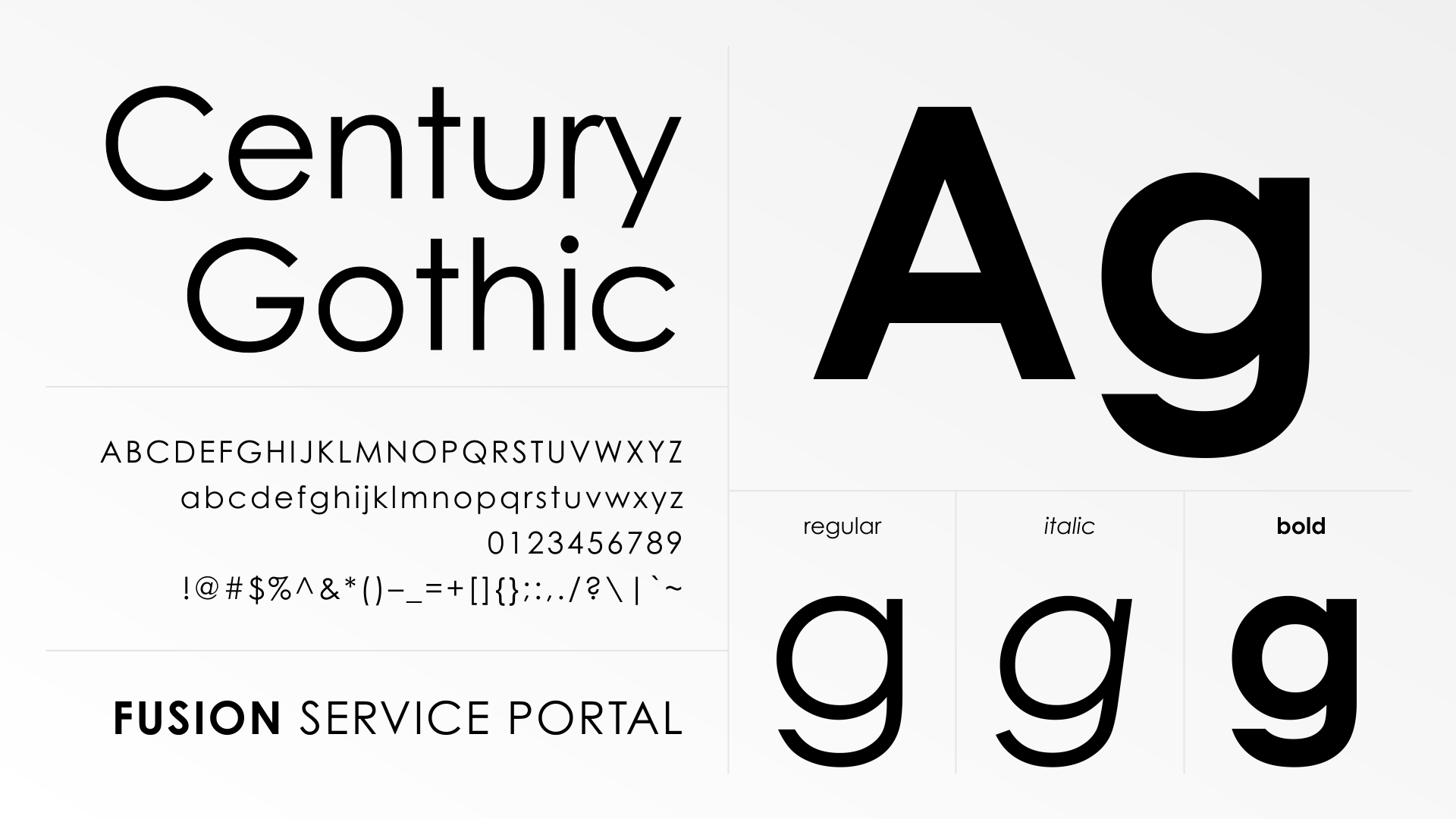
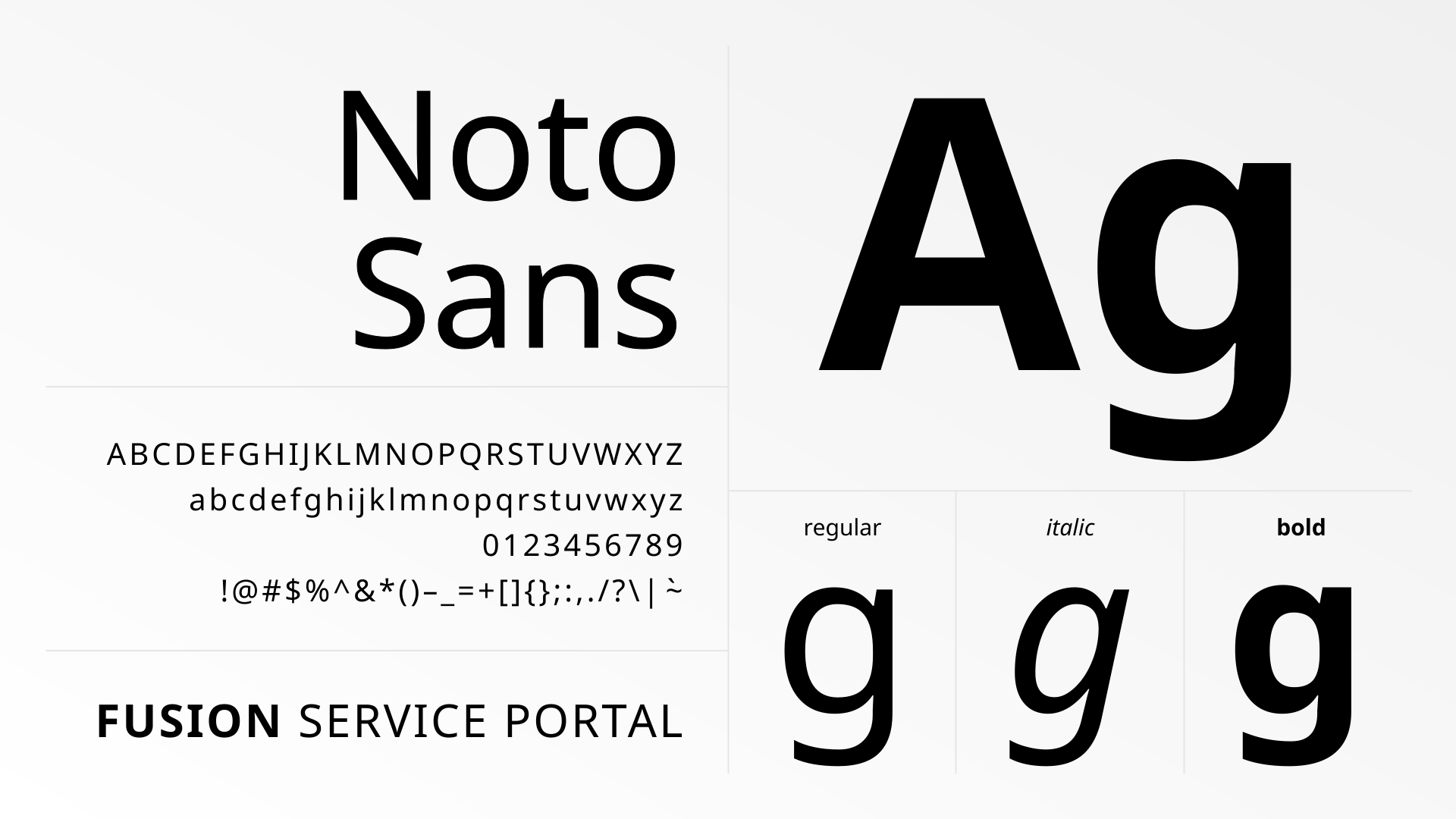
Typography & Color Scheme
The visual language of the portal was redefined to balance federal authority with modern accessibility. I implemented a clean, highly legible typography to ensure zero-latency loading and maximum readability across diverse government hardware.



What Shipped
The portal launched in December 2024, serving thousands of employees daily. Every defined project milestone was delivered within the 12-month contract.
- Four fragmented legacy systems consolidated into one coherent portal
- Employees can independently complete the top three IT tasks without calling support
- 114 forms modernised with consistent language, structure, and interaction patterns
- Portal meets federal WCAG 2.1 AA accessibility obligations — previously non-compliant
- Scalable design system established to serve ongoing CRA and CBSA digital products
- CRA internal UX team shifted toward Agile, iterative delivery practices
Want to see how it was built?
The process page covers the full research methodology, six design phases, design system architecture, and what I’d do differently — with diagrams for each stage.

01. Process & Research
Behind the CRA
Fusion Service Portal
Research methodology, design decisions, system architecture, and reflections from a 12-month government modernisation project.
02. The Problem
Four broken systems, one broken experience
CRA employees relied on four separate legacy platforms built in the early 2000s – each with its own navigation, language, and logic. Routine IT tasks required institutional knowledge or a helpdesk call, eroding productivity across the agency.
“Employees were unable to resolve their IT needs quickly. Every simple task stalled productivity - and stalled previous modernisation attempts too.”
Fragmented systems
No unified entry point - employees had to know which of four systems handled which request before they could even begin.
Memory-dependent navigation
Staff relied on bookmarks and personal notes. No wayfinding, no search, no logical hierarchy.
High support dependency
Routine tasks - password resets, incident reporting - generated unnecessary IT tickets, creating staffing pressure.
Accessibility failures
The legacy experience failed federal WCAG obligations, creating real barriers for employees with disabilities.


03. Research & Discovery
Understanding before designing
Government systems carry institutional weight — long-standing processes, embedded workarounds, and users who have adapted to broken tools. I committed to deep discovery before drawing a single wireframe.
01. Artifact review
Legacy forms
02. User interviews
12 sessions
03. Ethnographic observation
Real workflows
04. Co-design workshops
Stakeholder alignment
05. Service mapping
End-to-end flows

Key findings
Three tasks drove the majority of volume
No unified entry point - employees had to know which of four systems handled which request before they could even begin.
Navigation required prior knowledge
Staff relied on bookmarks and personal notes. No wayfinding, no search, no logical hierarchy.
Forms were the biggest barrier
Routine tasks - password resets, incident reporting - generated unnecessary IT tickets, creating staffing pressure.
Two user groups with conflicting needs
The legacy experience failed federal WCAG obligations, creating real barriers for employees with disabilities.
04. Design Process
Six phases, one direction
Every phase was validated with real users before moving forward. Design ran one sprint ahead of development throughout the Agile delivery cycle.
01. Information architecture
Homepage strategy, card sorting, tree testing
02. Wireframes & prototypes
Interactive flows, high-fidelity in Figma
03. Form modernisation
114 forms audited, plain language rewrites
04. Design system
Components, tokens, dev handoff docs
05. Accessibility
WCAG 2.1 AA, focus management, ARIA specs
06. Usability testing
Moderated sessions, post-task surveys


Design System Structure
Tier 03 - Templates & patterns
Page layouts · Form templates · Navigation structures
tier 02 - UI component library
Buttons · Inputs · Tables · Forms · Navigation · Alerts · Modals
Tier 01 -Foundations
Design tokens · Colour · Typography · Spacing · Elevation · Motion
05. Outcomes
A 20-year-old system, replaced
The portal launched in December 2024. While the contract concluded before long-term metrics were fully captured, every project milestone was delivered on schedule.
Before VS. After – System Consolidation
System A
System B
System C
System D
unified it self-service portal
IT Chat
Password Reset
Report Issue
Single entry · Design system · WCAG AA
06. Reflections
What I learned
What worked
- Co-design workshops built genuine stakeholder buy-in, preventing approval-cycle stalls
- Treating the design system as a product - with documentation and governance - enabled sustainable handoff
- Embedding accessibility at component level rather than layering it on at the end
What I'd do differently
- Instrument the legacy system before go-live to establish a measurable baseline
- Advocate for a dedicated research sprint on form modernisation rather than running it in parallel
- Establish a formal design QA handshake with dev to catch implementation drift earlier


